Currently Empty: ₹0.00

A good training room is more than a room filled with chairs and tables. The way people sit, move, interact, take notes, and face the trainer can directly affect how comfortable and engaged they feel during a session.
Whether you are setting up a corporate training room, employee learning center, coaching classroom, seminar hall, workshop space, or institutional training facility, the right seating layout and training chairs can make a big difference.
Many businesses focus on the projector, lighting, tables, and technology first. But one thing that participants use throughout the session is often overlooked-their chair.
An uncomfortable chair, poor spacing, or a layout that makes it difficult to see the trainer can quickly turn a productive training session into a tiring one.
So, how do you create a training room that actually works?
Let’s look at the most practical seating layouts, what to consider when selecting training chairs, and how to create a comfortable and professional learning environment.
Why Training Room Seating Matters
Imagine sitting through a four-hour training session on a chair that is too hard, too small, or difficult to move. Even if the trainer is excellent, participants may start shifting in their seats, losing concentration, or taking unnecessary breaks.
Good training-room seating should support three basic things:
- Comfort – Participants should be able to sit for extended sessions.
- Visibility – Everyone should have a clear view of the trainer and presentation screen.
- Flexibility – Chairs and tables should be easy to rearrange when the training format changes.
This is why training chairs are different from ordinary office or visitor chairs. They are designed with learning environments and frequent movement in mind.
1. Start With the Purpose of Your Training Room
Before choosing chairs, think about how the room will actually be used.
A training room used for employee on-boarding may need a different layout from a room used for workshops, presentations, or group discussions.
Ask yourself:
- How many people will normally attend?
- Will participants use laptops?
- Will they need writing space?
- Will the trainer move around the room?
- Will group activities be part of the sessions?
- How often will the seating arrangement change?
- Will the room also be used for meetings or seminars?
Once you understand these requirements, choosing the right seating layout becomes much easier.
2. Choose the Right Training Room Seating Layout
There is no single perfect layout for every training room. The best arrangement depends on the type of training you conduct.
Classroom Layout
The classroom layout is one of the most practical choices for traditional training sessions.
Tables and chairs face the trainer or presentation screen, allowing participants to focus on the front of the room.
Best for:
- Corporate training
- Employee on-boarding
- Software training
- Certification programs
- Educational sessions
This arrangement works particularly well when participants need a writing surface or laptop space.
U-Shaped Layout
In a U-shaped arrangement, tables are placed around the sides with an open area in the center.
This creates better interaction between the trainer and participants.
Best for:
- Workshops
- Small group training
- Discussions
- Management sessions
- Interactive presentations
One advantage is that participants can see each other as well as the trainer.
Boardroom-Style Layout
For smaller groups, a boardroom-style arrangement can provide a more formal atmosphere.
Participants sit around a central table, making it suitable for discussions and collaborative sessions.
Best for:
- Leadership training
- Team meetings
- Strategy workshops
- Small professional groups
theater-style Layout
theater-style seating uses rows of chairs facing the trainer or screen without tables.
It allows more people to fit into the same room.
Best for:
- Large presentations
- Seminars
- Product demonstrations
- Guest lectures
- Short training sessions
The main advantage is capacity, but participants have less personal workspace.
Cluster or Group Layout
For interactive learning, chairs and tables can be arranged into small groups.
This encourages teamwork and communication.
Best for:
- Team-building sessions
- Brainstorming
- Workshops
- Creative training
- Group activities
The important point is to choose a layout based on the training method—not simply the number of chairs you can fit into the room.
3. Don’t Try to Fit Too Many Chairs
One common mistake when designing a training room is trying to maximize capacity.
Yes, adding more chairs allows more people to attend. But if participants have to squeeze between chairs or cannot comfortably pull their chairs out, the room becomes difficult to use.
Leave enough space for:
- Walking between rows
- Entering and exiting seats
- Moving chairs when required
- Trainer movement
- Emergency access
- Opening doors and storage areas
A slightly smaller number of comfortable seats is often better than a crowded room.
A well-planned training room should feel organized, not packed.
4. Select Chairs Designed for Training Environments
This is where chair selection becomes important.
A training chair should balance comfort, durability, flexibility, and practical design.
Look for features such as:
Comfortable Seating
Participants may sit for several hours, so the seat should provide reasonable comfort and support.
Depending on the training environment, you can consider cushioned, upholstered, netted, or moulded seating options.
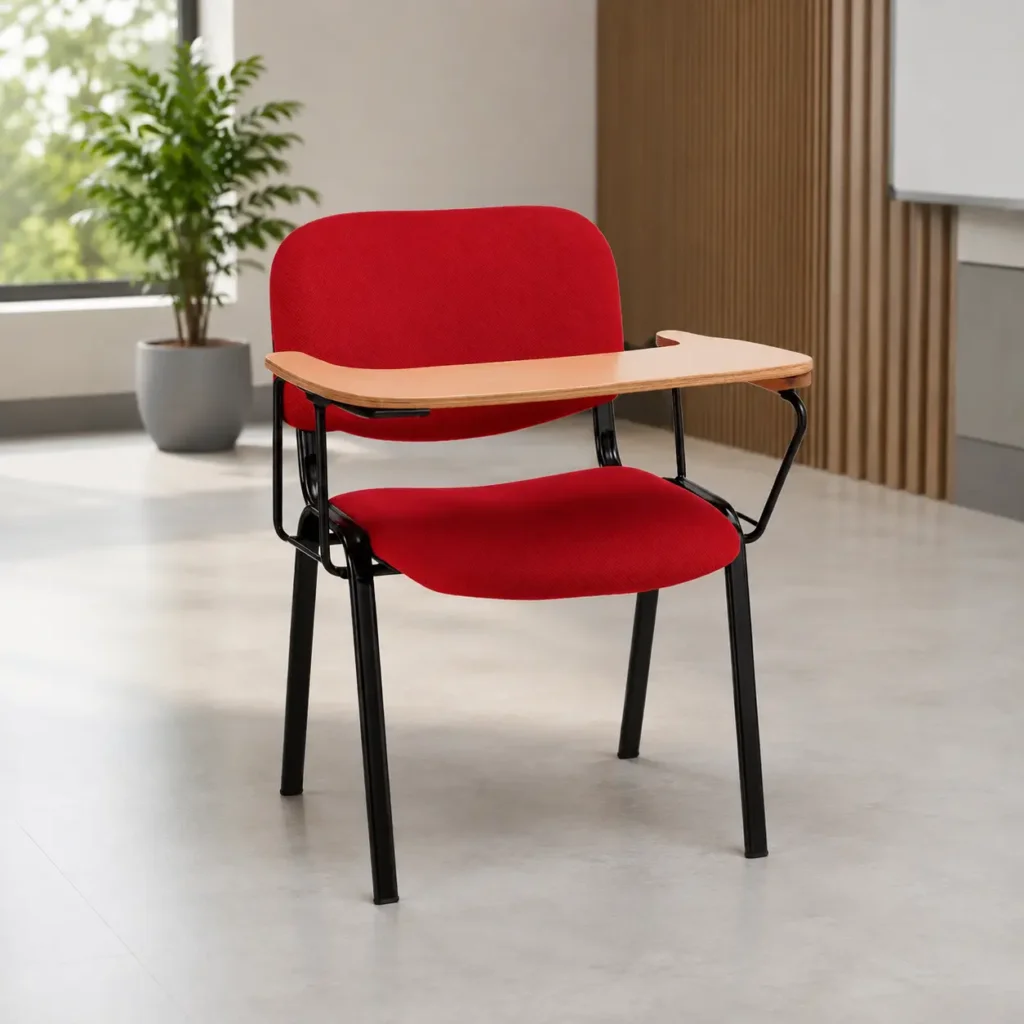
Strong Frame
Training chairs are moved frequently. Participants may pull them forward, push them back, or rearrange them during group activities.
A strong frame helps the chair handle regular use.
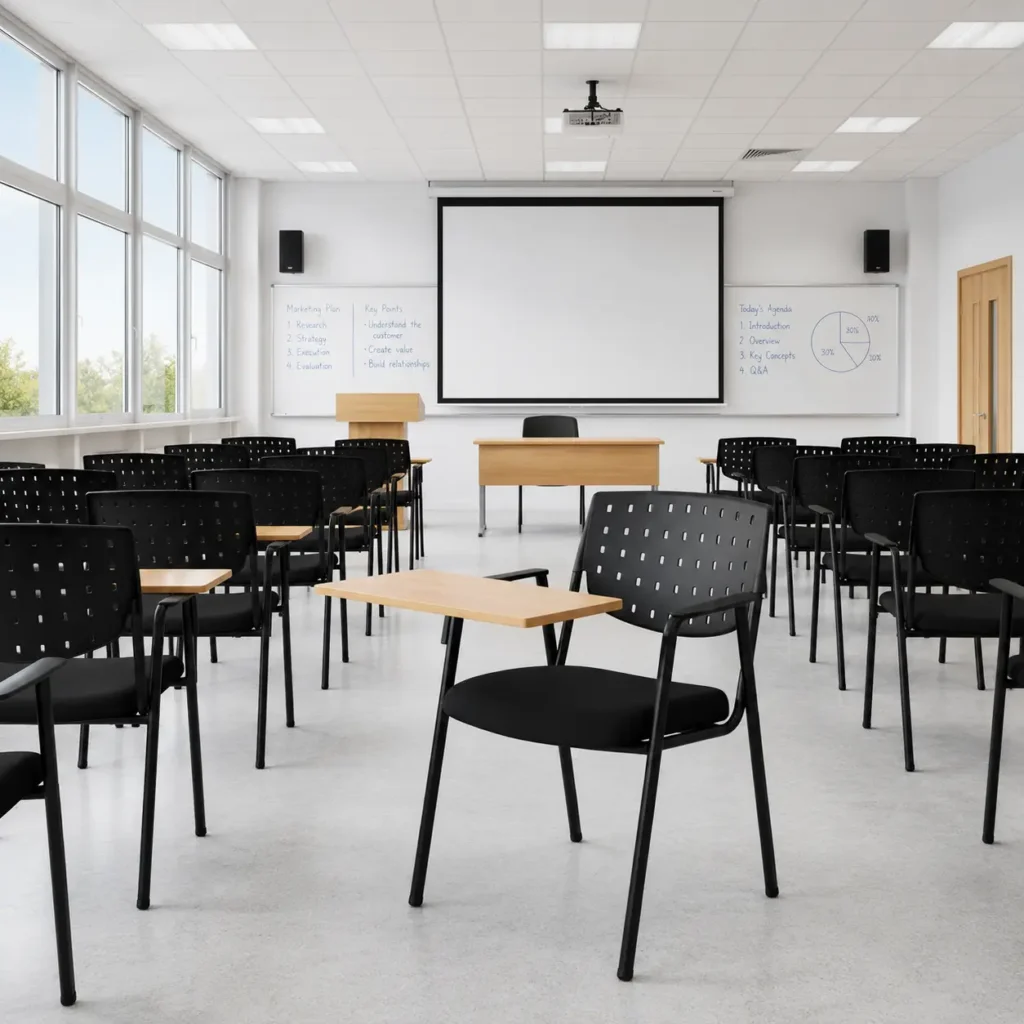
Practical Backrest
The backrest should provide adequate support without making the chair unnecessarily bulky.
A practical backrest also makes it easier to move and arrange multiple chairs.
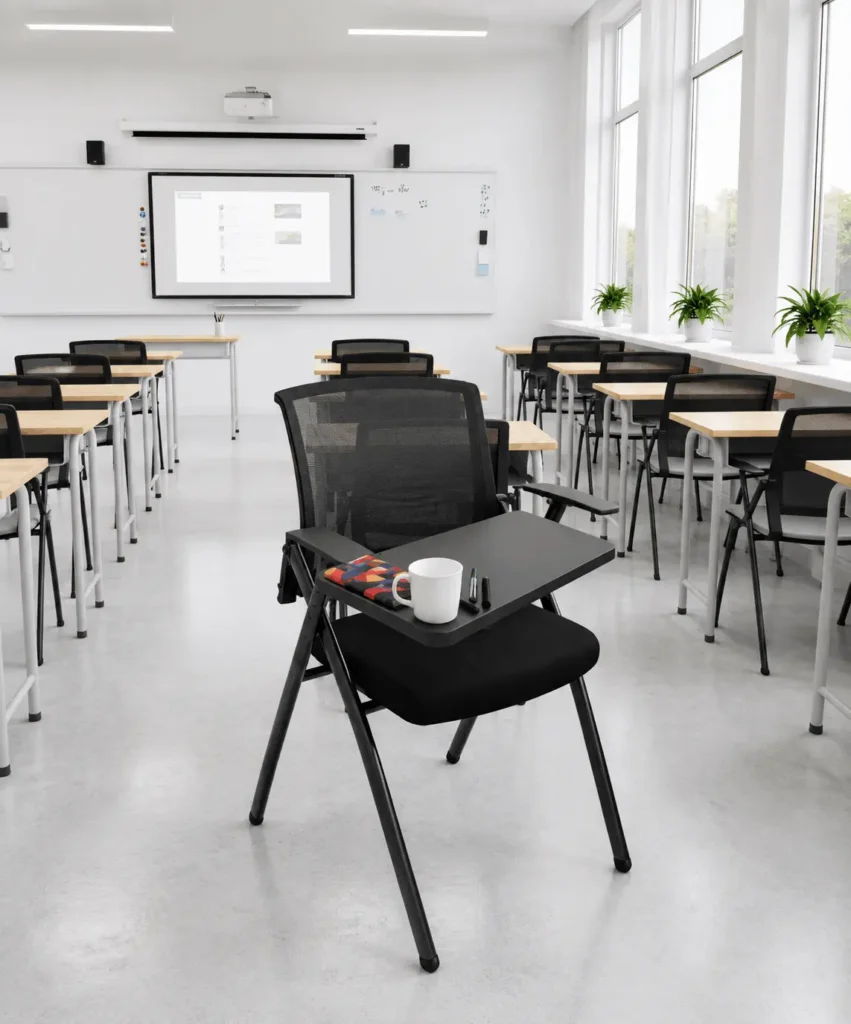
Writing Tablet or Arm Support
If participants regularly take notes, a tablet-arm training chair can be extremely useful.
It provides a compact writing surface without requiring a large table for every participant.
Easy Movement
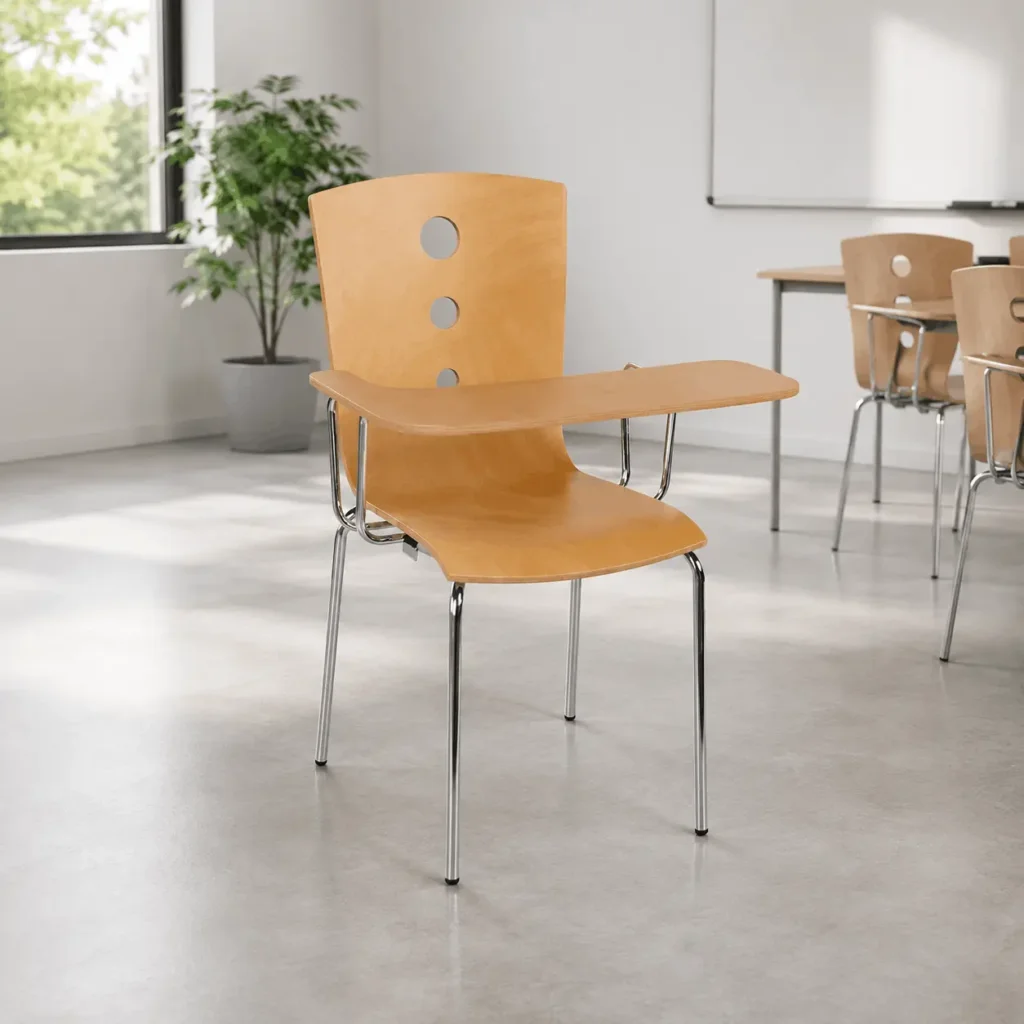
Training rooms often change layouts.
Lightweight and easy-to-handle chairs make it much easier for staff to reorganize the room before different sessions.
5. Why Training Chairs Can Be a Smart Choice
A dedicated training chair can make your room more flexible.
Instead of using a standard office chair, training chairs are designed around the requirements of learning and group environments.
They can work particularly well in:
- Corporate training centers
- Coaching institutes
- Colleges and universities
- Conference rooms
- Seminar halls
- Skill-development centers
- Employee learning spaces
- Workshop rooms
- Educational institutions
For organizations that conduct training regularly, investing in purpose-built seating can also make room management easier.
6. Explore Training Chair Options From Creative Seating
If you are looking for training chairs for a professional training room, Creative Seating Pvt. Ltd. offers a dedicated range of training chairs.
The company’s online training-chair category currently includes 14 models, giving businesses different options depending on their seating requirements, design preferences, and budget.
The range includes options across different price points, with the current category page showing products from around ₹1,900 to ₹4,870 after listed discounts. Prices and availability can change, so it is best to check the product page for the latest information.
Explore Creative Seating Training Chairs
For businesses planning a larger training facility, this makes it easier to compare different models before finalizing the seating.
Why Consider Creative Seating?
Creative Seating focuses on commercial seating solutions for professional environments, making its training-chair range suitable for businesses and institutions looking for practical seating options.
Instead of choosing a chair simply because it looks good, you can compare different models based on your room requirements and intended use.
For bulk requirements, organizations can also contact the company directly to discuss their seating needs. The website provides a bulk-order option and direct sales contact information.
7. Think About Flexibility When Choosing Chairs
Training requirements can change.
You may conduct a presentation on Monday, a workshop on Wednesday, and a group discussion on Friday.
That means your seating should not lock you into one arrangement.
Flexible training chairs make it easier to:
- Rearrange rows
- Create small groups
- Increase or reduce seating capacity
- Clear floor space
- Change between classroom and presentation layouts
This flexibility is especially useful for multipurpose rooms.
A training room that can change according to the session is much more valuable than a room designed for only one type of activity.
8. Don’t Ignore the Room’s Overall Design
Chairs are important, but they are only one part of the training environment.
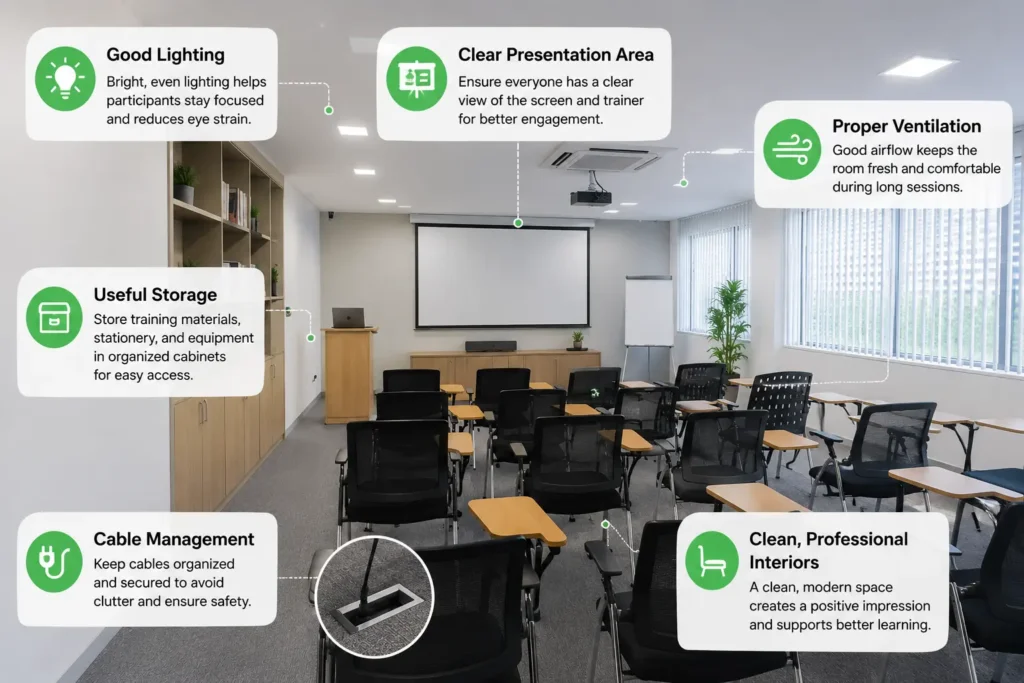
For a professional-looking training room, consider combining the seating with:
Good Lighting
Participants should be able to read notes and screens comfortably.
Clear Presentation Area
The trainer, screen, or presentation board should be visible from every seat.
Proper Ventilation
A crowded room can become uncomfortable quickly, particularly during longer sessions.
Useful Storage
Provide a practical place for bags, stationery, training materials, and equipment.
Cable Management
If participants use laptops, poorly managed cables can create clutter and safety issues.
Clean, Professional Interiors
A well-designed room creates a better first impression for employees, clients, trainees, and visitors.
9. Match the Chair to the Training Duration
Not every training session lasts the same amount of time.
For short sessions, a simple and practical chair may be sufficient.
For longer sessions, comfort becomes much more important.
If your employees or trainees regularly spend several hours in the training room, priorities:
- Comfortable seat construction
- Supportive backrest
- Appropriate seat height
- Good posture support
- Suitable cushioning or breathable material
- Stable construction
Think about how the chair feels after two or three hours—not just how it feels when you sit on it for two minutes in a showroom.
That simple test can help you make a better purchasing decision.
10. Consider Maintenance and Long-Term Use
Training rooms can experience heavy daily usage.
Hundreds of people may use the same chairs over time. Chairs may also be moved regularly during different sessions.
Therefore, durability and easy maintenance should be part of your buying decision.
Before purchasing, check:
- Frame construction
- Seat material
- Backrest material
- Joint quality
- Surface finish
- Ease of cleaning
- Availability of service or replacement support
- Warranty terms
A chair with a slightly higher initial cost may provide better value if it remains functional and presentable for years.
11. Plan Your Training Room Around People, Not Just Furniture
The best training room is not necessarily the one with the most furniture.
It is the one where people can comfortably:
- Enter the room
- Find their seat
- See the trainer
- View the presentation
- Take notes
- Participate in activities
- Move around when necessary
- Leave without disturbing everyone else
This people-first approach can make a noticeable difference in the overall training experience.
Final Thoughts
Setting up an effective training room requires more than choosing attractive furniture. The seating layout, chair design, room capacity, comfort, flexibility, and movement space all work together.
Start by understanding how the room will be used. Then select a layout that supports your training style. Finally, choose training chairs that offer the right balance of comfort, durability, practicality, and flexibility.
If you are planning a new corporate training room, upgrading an existing learning space, or purchasing chairs in bulk, explore the Creative Seating training-chair range to compare available options.
View Training Chairs by Creative Seating
A well-designed training room does not just look professional—it helps create an environment where people can sit comfortably, stay focused, participate actively, and learn better.
Frequently Asked Questions
What is the best seating layout for a training room?
The best layout depends on the training format. Classroom seating works well for presentations and learning sessions, while U-shaped or cluster layouts are better for interactive workshops and discussions.
Which chair is best for a training room?
Look for a chair that provides good seating comfort, a supportive backrest, durable construction, and easy movement. If participants need to write or use laptops, tablet-arm training chairs can also be considered.
How many chairs should a training room have?
The number depends on the room’s size and the required walking, seating, and activity space. Avoid overcrowding the room simply to increase capacity.
Are training chairs suitable for corporate offices?
Yes. Training chairs are useful for corporate training rooms, seminar areas, meeting spaces, workshops, employee on-boarding rooms, and other multipurpose spaces.
Where can I buy training chairs in India?
Creative Seating offers a range of training chairs through its website, with multiple models available for professional and institutional seating requirements.
Can I purchase training chairs in bulk?
Yes. For larger projects such as corporate training centers, educational institutions, coaching centers, and seminar halls, it is advisable to contact the supplier directly to discuss bulk requirements and suitable models.