Currently Empty: ₹0.00

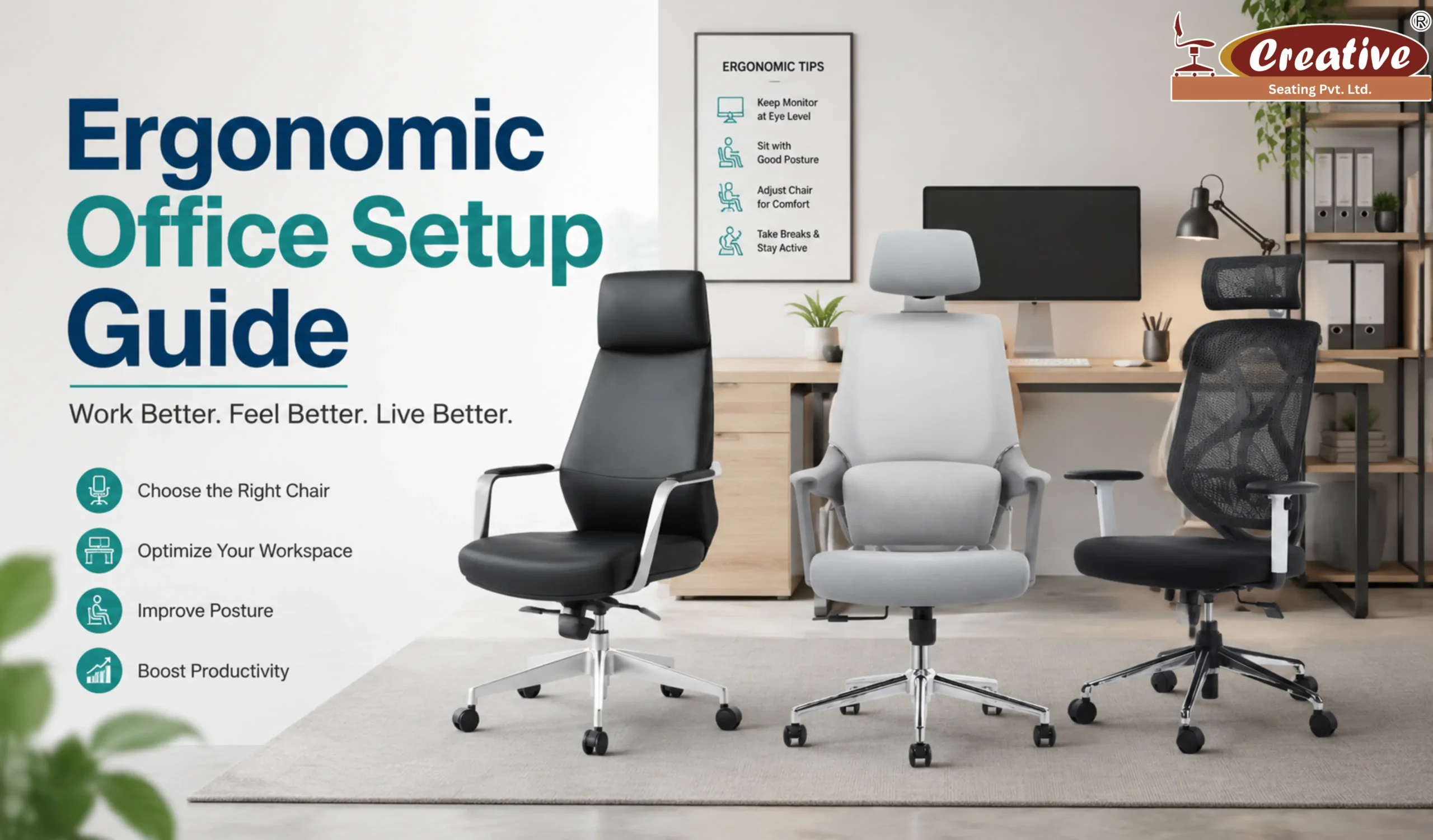
Working long hours at a desk can take a serious toll on your body. From back pain and neck stiffness to tired shoulders and poor posture, an uncomfortable workspace affects both your health and productivity. That’s why creating an ergonomic office setup is no longer a luxury – it’s a necessity.
Whether you work from home or in a corporate office, choosing the right workstation chair and arranging your workspace properly can make a huge difference. In this guide, we’ll explain everything you need to know about building a comfortable and healthy office setup in simple terms.
What Is an Ergonomic Office Setup?
An ergonomic office setup is a workspace designed to support your body’s natural posture and movements. The goal is to reduce physical strain, improve comfort, and help you work efficiently for longer hours.
A proper setup includes:
- An ergonomic chair
- Correct desk height
- Proper monitor placement
- Comfortable keyboard and mouse positioning
- Good lighting and posture habits
Among all these elements, your office task chair plays the most important role because it directly supports your spine and posture throughout the day.
Why Ergonomics Matters in the Workplace
Many people spend 7–10 hours sitting daily. Poor sitting posture and uncomfortable chairs can lead to:
- Lower back pain
- Neck and shoulder strain
- Poor blood circulation
- Fatigue and low productivity
- Long-term posture issues
Investing in the best chair for back pain office use can help prevent these problems and improve your overall work experience.
A well-designed ergonomic workspace also boosts concentration, energy levels, and employee wellness.
Choosing the Right Workstation Chair
Your workstation chair is the foundation of a healthy office setup. Not all office chairs are created equal, and selecting the wrong one may cause discomfort over time.
Here are the most important features to look for when buying an ergonomic chair for long sitting.
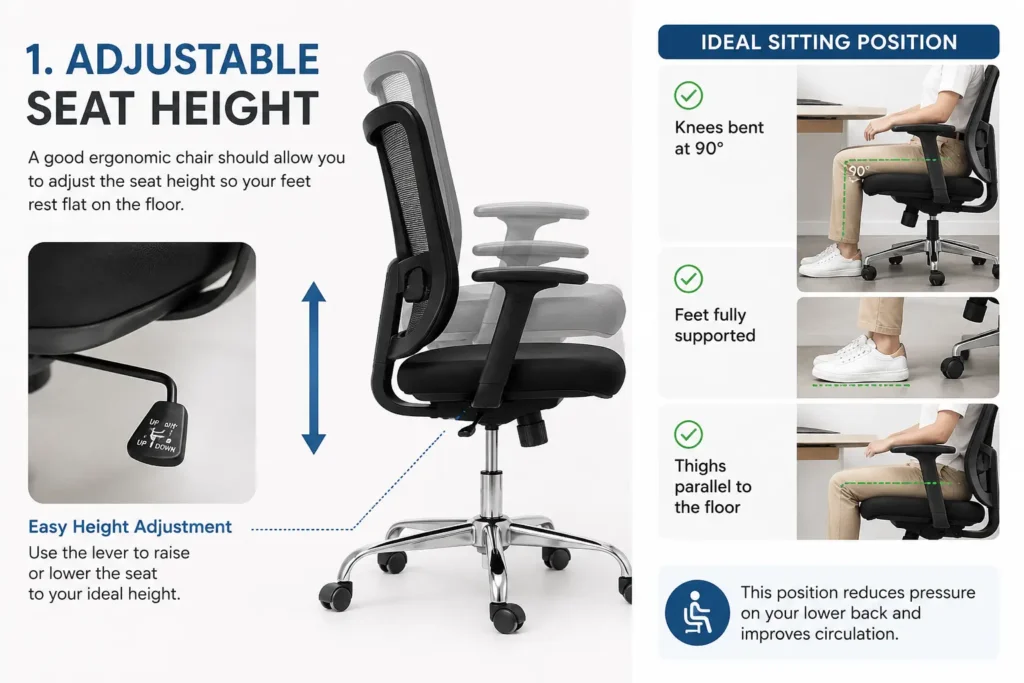
1. Adjustable Seat Height
A good ergonomic chair should allow you to adjust the seat height so your feet rest flat on the floor.
Ideal sitting position:
- Knees bent at a 90-degree angle
- Feet fully supported
- Thighs parallel to the floor
This position reduces pressure on your lower back and improves circulation.
2. Lumbar Support for Back Health
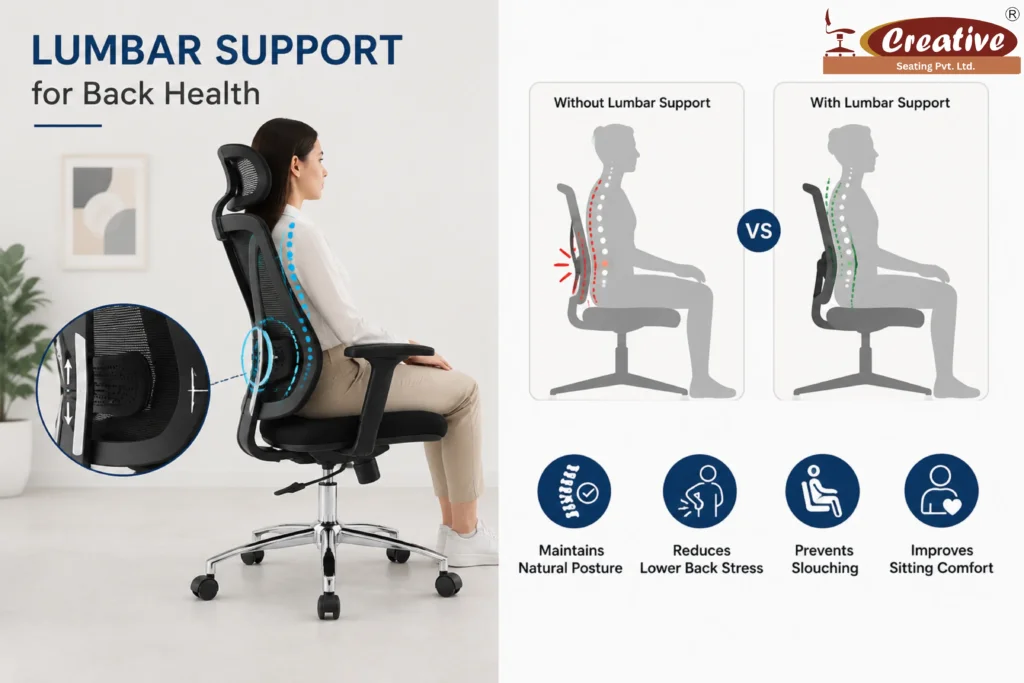
Lumbar support is essential if you sit for long hours.
The lower back naturally curves inward, and without support, that curve collapses, causing strain and pain. The best chair for back pain office environments usually includes adjustable lumbar support that fits the shape of your spine.
Benefits of lumbar support:
- Maintains natural posture
- Reduces lower back stress
- Prevents slouching
- Improves sitting comfort
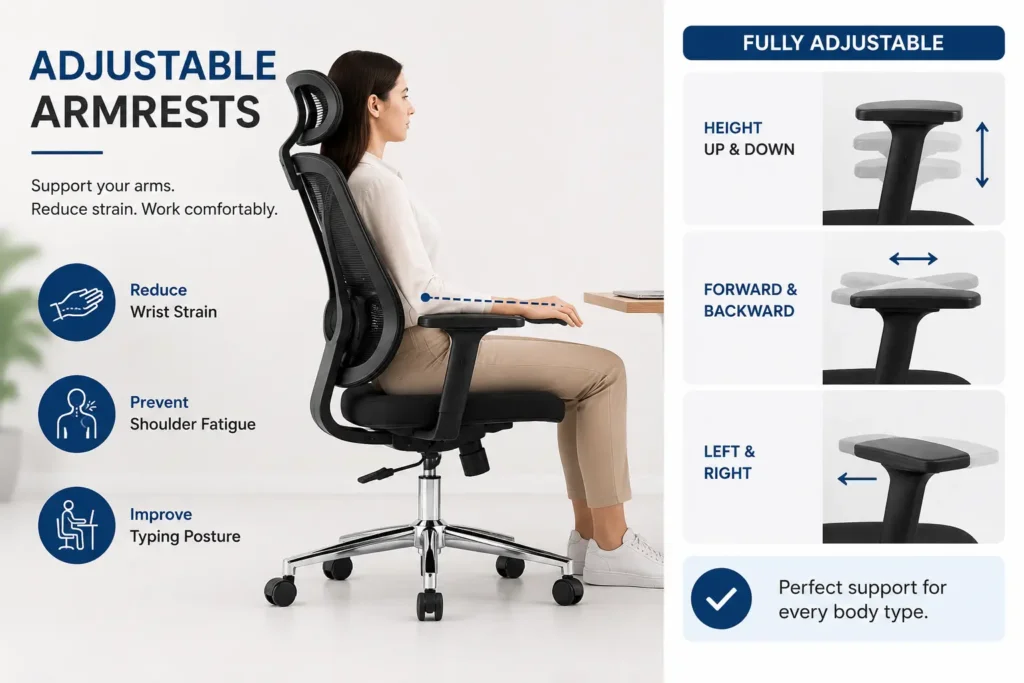
3. Adjustable Armrests
Armrests help reduce pressure on your shoulders and neck.
Your arms should rest comfortably while typing, without lifting or dropping your shoulders. Adjustable armrests are especially useful because everyone’s body size is different.
Proper arm positioning can:
- Reduce wrist strain
- Prevent shoulder fatigue
- Improve typing posture
4. Breathable Material and Cushioning
Comfort matters when you spend long hours sitting.
Choose an office task chair with:
- Breathable mesh back
- Soft seat cushioning
- High-density foam support
Mesh chairs improve airflow and keep you cool during long working hours.
5. Reclining and Tilt Features
A chair that reclines slightly allows your body to move naturally throughout the day.
Sitting in one fixed position for hours can create stiffness and pressure on the spine. Adjustable tilt and recline features encourage movement and reduce fatigue.
How to Set Up Your Ergonomic Workspace Properly
Even the best ergonomic chair will not help if your workspace setup is incorrect. Let’s look at how to create a complete ergonomic office environment.
Monitor Placement
Your monitor should be:
- At eye level
- About an arm’s length away
- Directly in front of you
Looking too far down or up strains the neck and shoulders.
If you use a laptop regularly, consider using a laptop stand with an external keyboard.
Keyboard and Mouse Position
Your keyboard and mouse should be placed:
- Close to your body
- At elbow height
- With wrists straight and relaxed
Avoid reaching too far forward because it increases shoulder tension.
Desk Height
A desk that is too high or too low can affect posture badly.
When seated:
- Elbows should form a 90-degree angle
- Forearms should rest naturally on the desk
- Shoulders should stay relaxed
Adjustable desks are becoming popular because they support both sitting and standing positions.
Lighting Matters
Poor lighting causes eye strain and headaches.
For better comfort:
- Use natural light when possible
- Avoid screen glare
- Use soft desk lighting for evening work
Proper lighting improves focus and reduces fatigue.
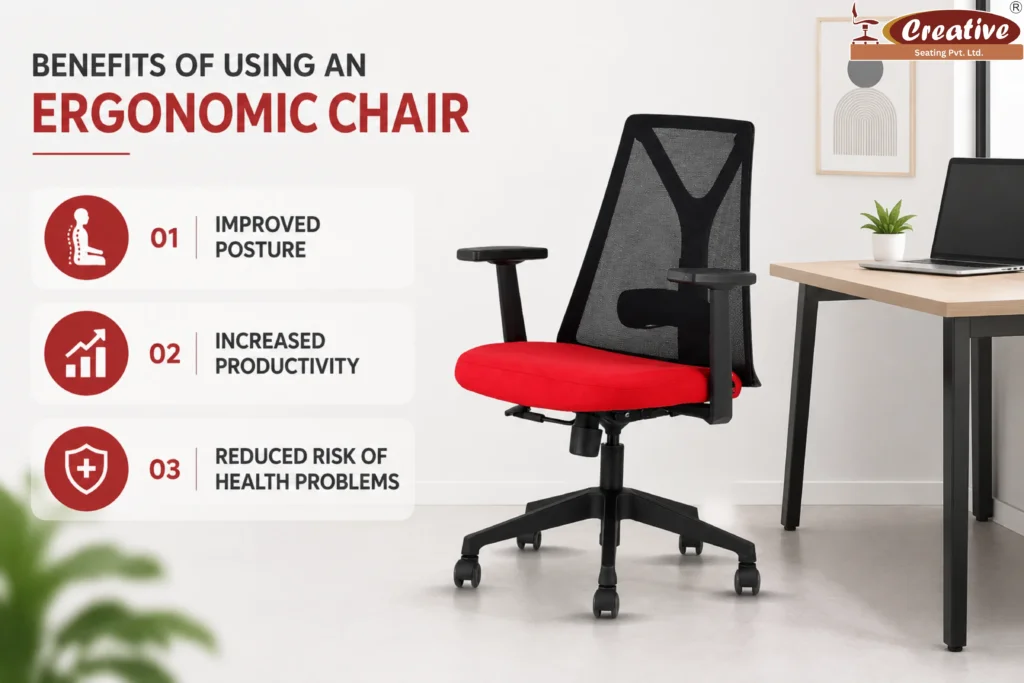
Benefits of Using an Ergonomic Chair
Many people underestimate the impact a quality chair can have on daily work life. Here are some major advantages of using an ergonomic chair for long sitting.
Improved Posture
An ergonomic chair supports the spine properly and encourages healthy sitting posture.
Better posture helps:
- Reduce back pain
- Prevent neck stiffness
- Improve breathing and circulation
Increased Productivity
When your body feels comfortable, your mind can focus better.
Employees and remote workers often notice:
- Better concentration
- Higher energy levels
- Less discomfort during long work sessions
Reduced Risk of Health Problems
Poor sitting habits can contribute to long-term musculoskeletal issues.
Using the best chair for back pain office use helps minimize:
- Chronic back pain
- Shoulder tension
- Joint stiffness
- Poor circulation
Better Comfort During Long Hours
Comfort is one of the biggest reasons people upgrade their office chairs.
A supportive office task chair allows you to work longer without constantly adjusting your position or feeling discomfort.
Common Ergonomic Mistakes to Avoid
Even with a good setup, certain habits can still create discomfort.
Here are common mistakes people make:
1.Sitting for Too Long Without Breaks
Your body is not designed to stay still for hours.
Take short breaks every 30–60 minutes:
- Stand up
- Stretch
- Walk briefly
Movement improves circulation and reduces stiffness.
2.Slouching in the Chair
Many people slide forward or lean excessively while working.
Try to:
- Keep your back against the chair
- Sit upright naturally
- Avoid leaning toward the screen
3.Incorrect Screen Position
A monitor placed too low forces you to bend your neck constantly.
Always keep the screen aligned with eye level.
4.Ignoring Chair Adjustments
Most ergonomic chairs include adjustable features, but many users never use them.
Customize your:
- Seat height
- Armrests
- Lumbar support
- Recline angle
Small adjustments create a huge comfort difference.
Tips for Maintaining Healthy Posture at Work
Creating good posture habits is just as important as buying the right chair.
Here are simple daily tips:
1.Keep Feet Flat on the Floor
Avoid crossing your legs for long periods.
2.Relax Your Shoulders
Shoulders should stay neutral, not raised.
3.Sit Back Fully in the Chair
Use the backrest support properly.
4.Keep Wrists Straight
Avoid bending wrists while typing.
5.Stretch Regularly
Simple stretches reduce tension and improve flexibility.
Ergonomic Office Setup for Remote Workers
Remote work has become increasingly common, but many people still work from couches, beds, or dining tables.
This can lead to serious posture issues over time.
If you work from home:
- Invest in a dedicated workstation chair
- Use a proper desk
- Improve lighting
- Create a distraction-free workspace
Even small ergonomic improvements can significantly improve comfort and productivity.
How to Choose the Best Ergonomic Chair
When shopping for a chair, focus on comfort, adjustability, and long-term support rather than appearance alone.
Checklist before buying:
- Adjustable lumbar support
- Seat height adjustment
- Armrest flexibility
- Breathable material
- Smooth mobility
- Reclining mechanism
The best ergonomic chair for long sitting should fit your body comfortably and support healthy posture throughout the day.
Conclusion
A comfortable and healthy workspace can completely transform your work experience. Whether you work from home or in an office, investing in the right workstation chair and improving your office setup helps protect your health and boosts productivity.
Remember, ergonomics is not just about buying expensive furniture. It’s about creating a workspace that supports your body naturally.
Choosing the best chair for back pain office use, maintaining proper posture, and making small ergonomic adjustments can reduce discomfort and improve your overall well-being.
Start with simple changes today, and your body will thank you in the long run.
FAQs
1.What is an ergonomic chair?
An ergonomic chair is a specially designed chair that supports proper posture and reduces strain on the body during long sitting hours. It usually includes adjustable features like lumbar support, seat height, armrests, and reclining options.
2.Which chair is best for long hours?
The best chair for long working hours is an ergonomic chair with adjustable lumbar support, breathable material, comfortable cushioning, and flexible seating adjustments. A high-quality office task chair helps reduce fatigue and supports better posture.
3.How does an ergonomic chair help posture?
An ergonomic chair supports the natural curve of the spine, helping users sit correctly. It reduces slouching, minimizes pressure on the lower back, and encourages healthy sitting habits, improving posture over time.